
Hello Avakins!
Did you know that you can now link your Avakin Life account to Discord?
How do you link accounts?
You will be able to generate a small code by tapping a button located in "Settings" > "Account" options > then "Show Discord Code".
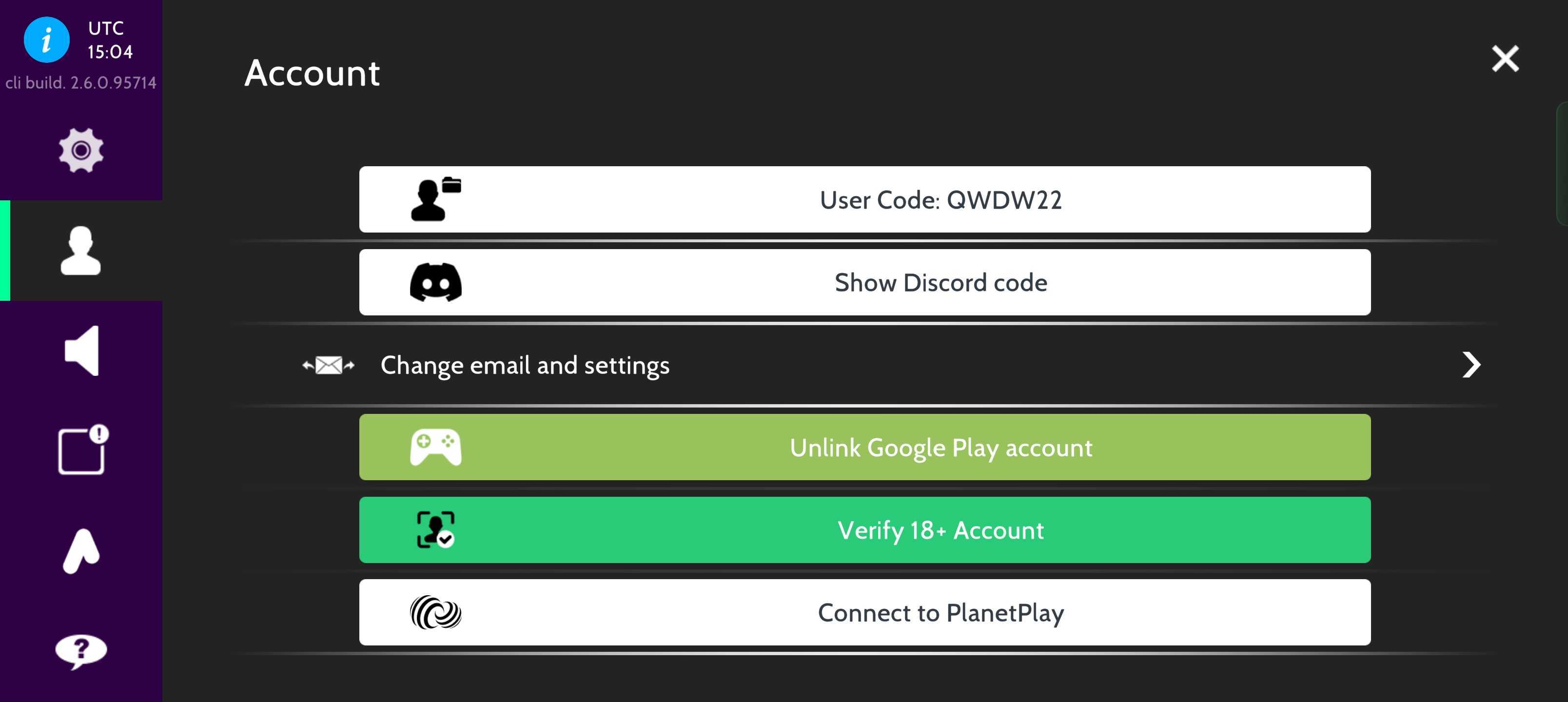
The code will then be generated, and you should make sure to either write it down or copy it to your device's clipboard. After that head on to Discord, go to our official Avakin Life server and in the #account-linking channel:
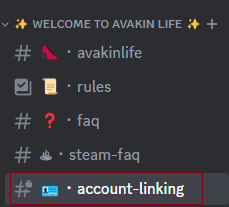
type the following: /link-account followed by your Discord code, example below:
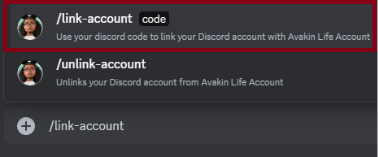

After doing this you'll immediately have both accounts linked! 🎉
How do you unlink accounts?
You can also unlink Discord from Avakin Life at any time by typing: "/unlink-account" into Discord. All perks tied to having the account will be lost upon doing this. That's it for now!
Remember to contact Player Support if you experience any issues related to linking and make sure to check our official Discord channel for any Avakin Life related news!
What are the benefits?
If you're a VIP Club subscriber, you'll also gain access to the VIP-Only chat channel and any other included perks that are currently available! Although it's important to note that this will only be the case for as long as you're subscribed.
Other perks and benefits will be announced as they become available.
We will be updating our T&C’s to reflect these changes, please check our website for more details. www.avakin.com
See you in Discord!